
How to Enable SharePoint External Sharing
SharePoint External Sharing for Extranets
SharePoint is a powerful collaboration tool that can help teams work more effectively by allowing them to store, share and collaborate on documents and files. However, by default, SharePoint is only available to internal users within your organization. If you need to share your SharePoint site with external partners, vendors or clients, you will need to enable external sharing. In this article, we will guide you through the steps to enable SharePoint External Sharing and answer some common questions.
Step by Step: How to Enable SharePoint for External Sharing
To enable external sharing in SharePoint, follow these simple steps:
Go to office.com and log in with your Microsoft 365 administrator account.
Click on the admin button to go to the Microsoft 365 admin center.
Select to see all admin centers.
Select the SharePoint admin center.
Click on the sharing tab under policies.
Adjust the sliders of SharePoint to "Anyone" for full external access.
Click save at the bottom.
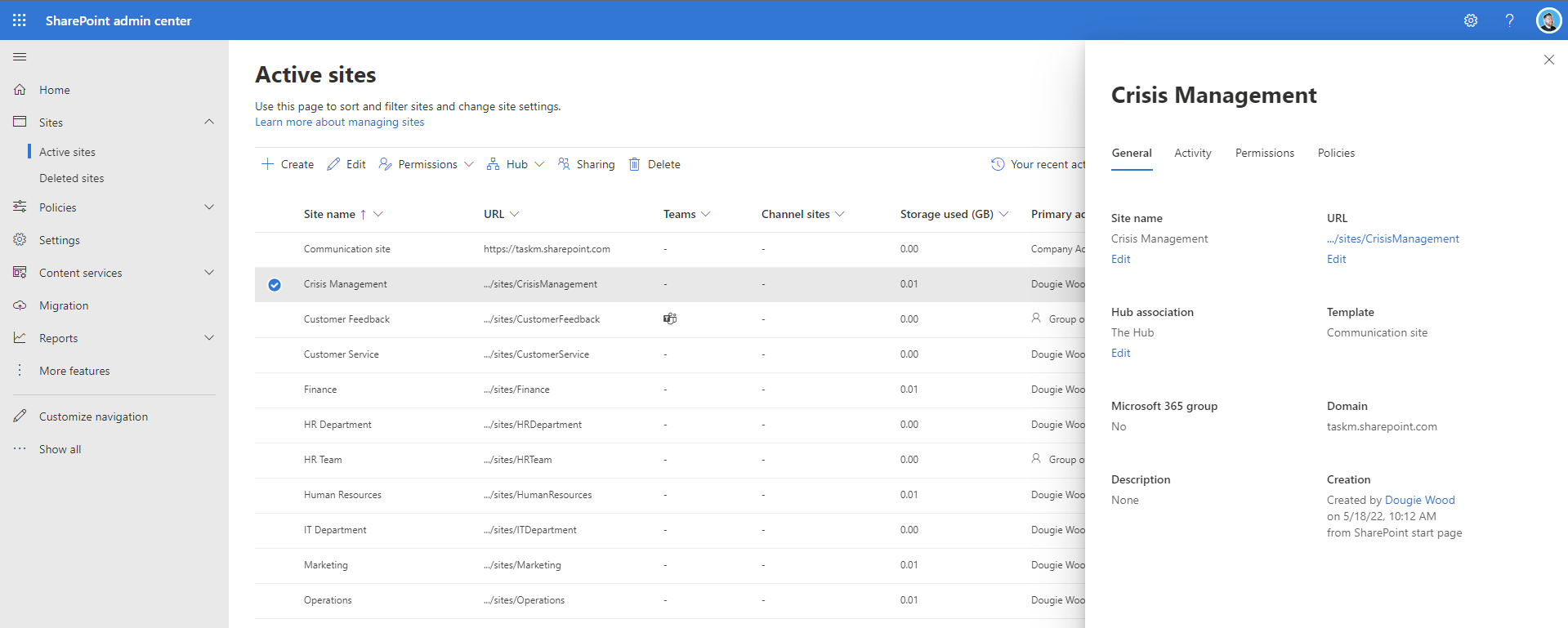
Go back to active sites.
Find the site in search you wish to enable for external sharing.
Select the site and click the sharing button at the top.
Then select "Anyone" (or other external sharing setting) from the pop-out.
Click save.
Can SharePoint be shared externally?
Yes, SharePoint can be shared externally. However, external sharing must be enabled in your SharePoint settings by a Microsoft 365 administrator. Once external sharing is enabled, you can share your SharePoint site with external partners, vendors or clients.
How do I enable external sharing in OneDrive?
To enable external sharing in OneDrive, follow the same steps as for SharePoint. However, instead of selecting the SharePoint external sharing policy slider select the OneDrive slider.
Can SharePoint be shared with external users?
Yes, SharePoint can be shared with external users. External users can be granted various levels of access, including read-only or edit access. However, it's important to note that external users must have a Microsoft account or an account from a supported identity provider, such as Azure Active Directory or Google.
How do I share a SharePoint site externally?
To share a SharePoint site externally, follow the steps outlined above to enable external sharing. Once external sharing is enabled, you can share your site with external users by clicking the sharing button at the top of the site and selecting the appropriate sharing setting.
Watch the video above for step by step guide.
How do I allow SharePoint to share files with external users?
To allow SharePoint to share files with external users, you must enable external sharing and then share the files with external users by clicking the sharing button on the file and selecting the appropriate sharing setting.
Can external users edit in SharePoint?
Yes, external users can be granted edit access in SharePoint. However, it's important to carefully consider the risks of granting external users edit access to your SharePoint site or files.
What are the risks of SharePoint external access?
Enabling external access to your SharePoint site or files can pose a security risk if not properly managed.
External users could inadvertently or intentionally share sensitive or confidential information with unauthorized parties.
It's important to carefully consider the risks and implement appropriate security controls, such as limiting external sharing to specific individuals or domains, requiring two-factor authentication, or setting expiration dates on external sharing links.
What are best practices for creating SharePoint extranets?
When creating a SharePoint extranet, it's important to consider the needs of your external partners, vendors or clients.
You should carefully design the site structure and permissions to ensure that external users can easily access the information they need, while also maintaining appropriate levels of security and privacy.
It's also important to provide clear guidelines and training to your users on how to properly use and share information on the site.
We would recommend creating dedicated sites for external sharing.
It is not best practise to have a site used for internal purposes only to also be opened up for external access. It is best to have a dedicated SharePoint Online site for that.
Contact us for support with enabling SharePoint for external access
If you need assistance with enabling external access in SharePoint, our team of experts is here to help.
We understand the importance of securely sharing information with external partners and can guide you through the process of enabling external sharing in SharePoint, as well as implementing appropriate security controls and best practices.
Contact us today to learn more about our SharePoint consulting and support services.
Contact us form below!