
SharePoint Intranet Examples Deep Dive!
SharePoint has emerged as a dominant platform for building robust intranets that serve as the central hub for communication, collaboration, and content management within organizations. The flexibility and customization options offered by SharePoint enable businesses to create tailor-made intranets that align with their unique needs, design preferences, and branding.
In this deep dive exploration, we will embark on a journey to explore various SharePoint intranet examples, delving into their distinctive features, benefits, and design elements. Through these examples, we will witness the versatility of SharePoint in constructing intranets that cater to different industries and organizations.
Designing a SharePoint Intranet
The design of a SharePoint intranet plays a pivotal role in engaging users and facilitating seamless navigation. SharePoint provides an array of templates that enable the creation of visually captivating and functional intranets. We will examine some of the most exceptional SharePoint intranet templates, dissecting their design features, layout options, and customization capabilities.
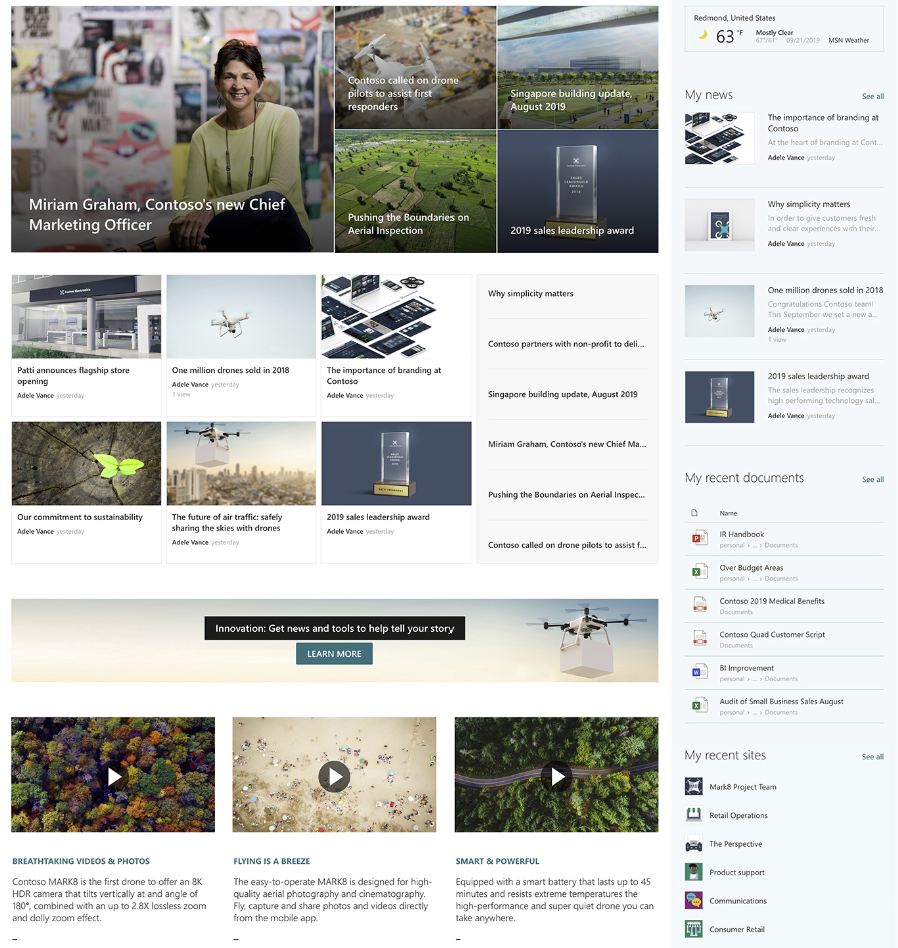
SharePoint Intranet Templates
Once you have selected a template, the true essence of customization begins, allowing you to align your SharePoint intranet with your organization's brand identity and design standards. SharePoint offers a plethora of customization options, empowering you to incorporate your company's logo, colors, fonts, and other branding elements. Join us as we dive deeper into these customization possibilities and explore how they can aid you in crafting a distinctive and professional-looking intranet.
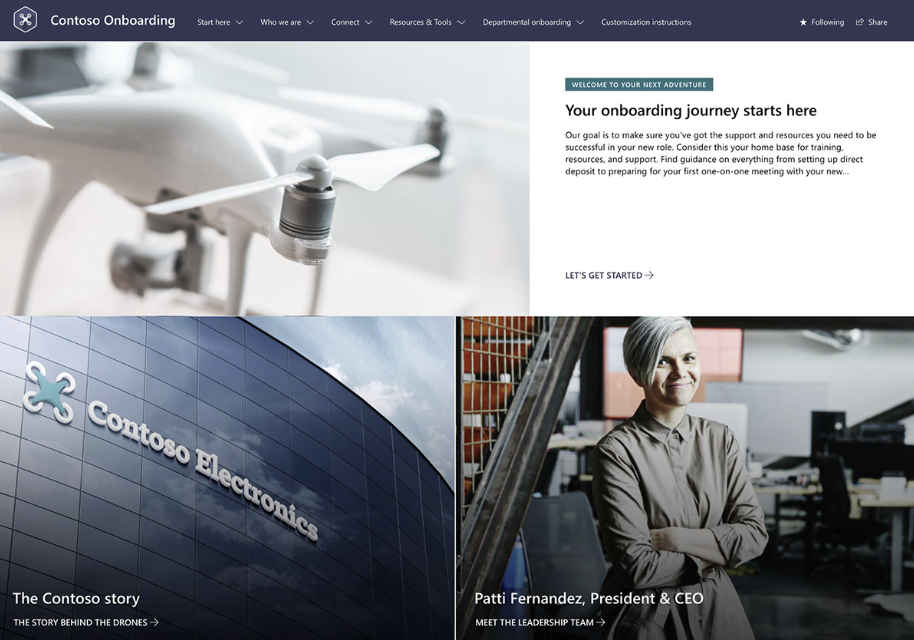
SharePoint Intranet Homepage
The homepage serves as the gateway to your SharePoint intranet, setting the stage for an immersive user experience. Throughout this journey, we will navigate through some exemplary SharePoint intranet homepage examples, examining their design, features, and navigation capabilities. A thoughtfully designed homepage not only aids employees in locating the desired information swiftly but also enhances the overall usability of your intranet.
SharePoint encompasses an extensive range of features that foster collaboration and communication within organizations. We will uncover some of the finest SharePoint intranet features, including document management, team sites, calendars, and social components. These features act as catalysts for improved operational efficiency and heightened employee engagement, transforming your organization's workflow.
SharePoint Features
Beyond its impressive array of features, SharePoint also offers numerous benefits that streamline operations, save time, and optimize resource utilization. We will explore some of the remarkable SharePoint intranet benefits, such as enhanced productivity, streamlined workflows, and reinforced security measures. Through this exploration, you will discover how SharePoint empowers your organization to thrive in a dynamic business landscape.
Creating a SharePoint intranet necessitates meticulous planning and seamless execution. We will navigate through some indispensable SharePoint intranet best practices, unveiling the key to success. These best practices encompass setting clear goals and objectives, engaging stakeholders, and conducting user testing. Armed with this knowledge, you will be equipped to construct an intranet that seamlessly aligns with your organization's requirements while delivering an unparalleled user experience.
Join us as we embark on this SharePoint intranet examples deep dive! Through this comprehensive exploration, we will gain insights into SharePoint's power to revolutionize internal communication, collaboration, and content management, propelling organizations towards unprecedented levels of success.