
SharePoint site designs for departments
In the ever-evolving landscape of modern businesses, effective collaboration and seamless information exchange are vital for driving productivity and achieving success.
Microsoft's SharePoint Online, a robust collaboration platform, empowers organizations to create dynamic and customized sites for different departments.
These departmental sites serve as centralized hubs, fostering seamless communication, efficient teamwork, and streamlined information sharing.
In this blog article, we will explore six exceptional free SharePoint site designs, each tailored to cater to specific departments, revolutionizing the way your organization operates.
To provide an immersive experience, we have also included a comprehensive YouTube video that demonstrates these SharePoint site templates in action.
So, let's dive in and unlock the full potential of SharePoint's departmental site designs!
SharePoint Site Design for Sales Departments
The Sales Hub SharePoint site template is a game-changer for sales teams. It provides a robust platform to manage leads, track opportunities, and collaborate on sales strategies.
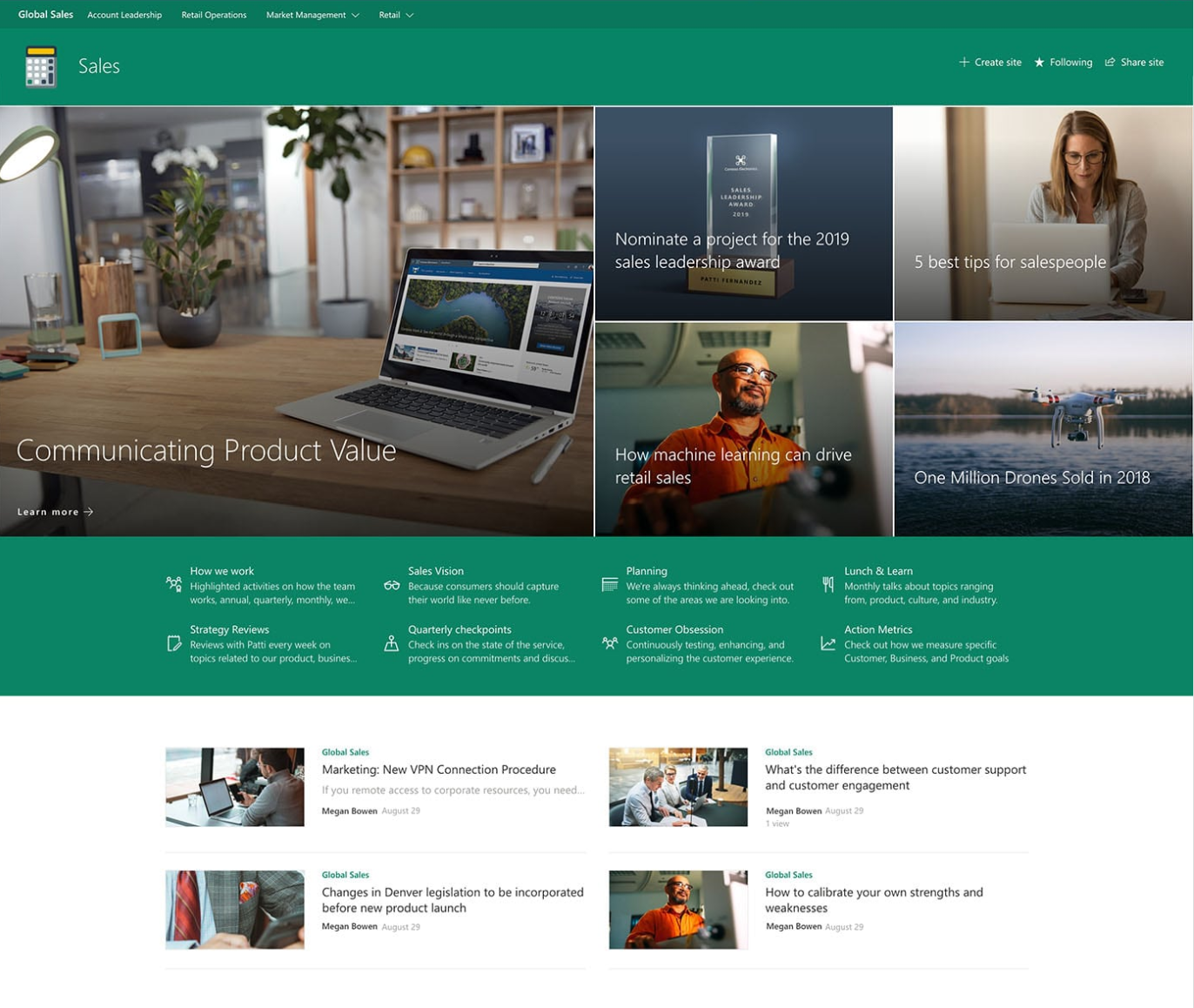
The Sales Hub comes with pre-built features like sales dashboards, customer relationship management tools, and integration with popular productivity apps. With easy access to real-time sales data and performance metrics, your sales team can make data-driven decisions and drive revenue growth.
Conference and Events SharePoint Site Designs
For departments responsible for organizing conferences and events, this SharePoint site design is a lifesaver.
It offers event management tools, including customizable event pages, registration forms, and agenda planners.

Collaborate seamlessly with vendors, speakers, and attendees, ensuring every event detail is managed efficiently.
The built-in communication tools keep everyone informed, minimizing potential hiccups and making your events a grand success.
Retail Operations SharePoint Site Template
For retail departments, SharePoint's Retail Operations template provides an all-in-one solution for managing inventory, visual merchandising, and sales data.
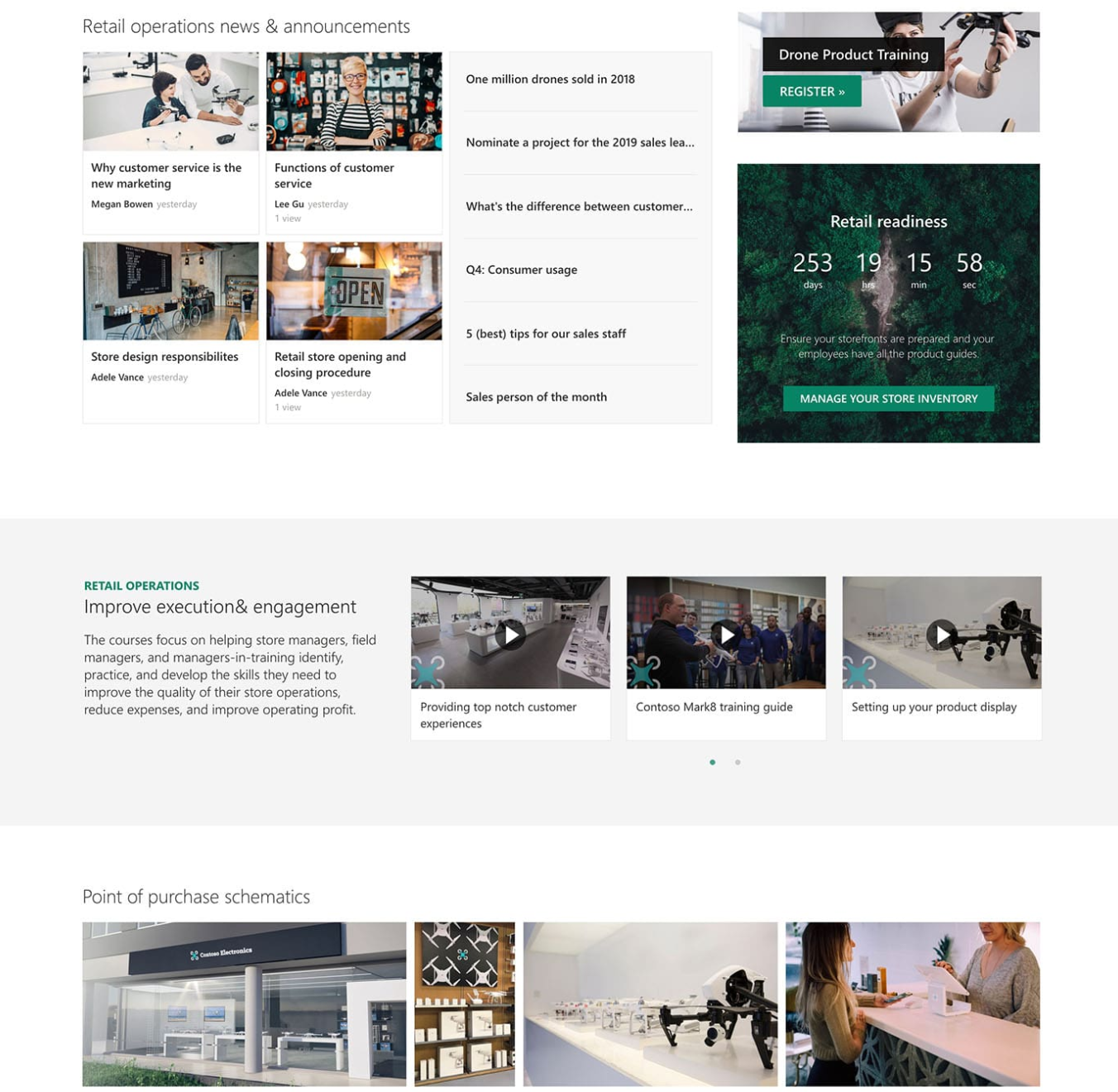
This design streamlines the entire retail process, from procurement to point of sale.
Its intuitive interface allows retail teams to analyze sales trends, optimize inventory levels, and maintain consistency in visual branding across various locations.
By centralizing retail operations on SharePoint, you can enhance productivity and deliver exceptional customer experiences.
Workshop or Training Self Service Portal
Training and development departments can benefit immensely from the Workshop or Training SharePoint site design.
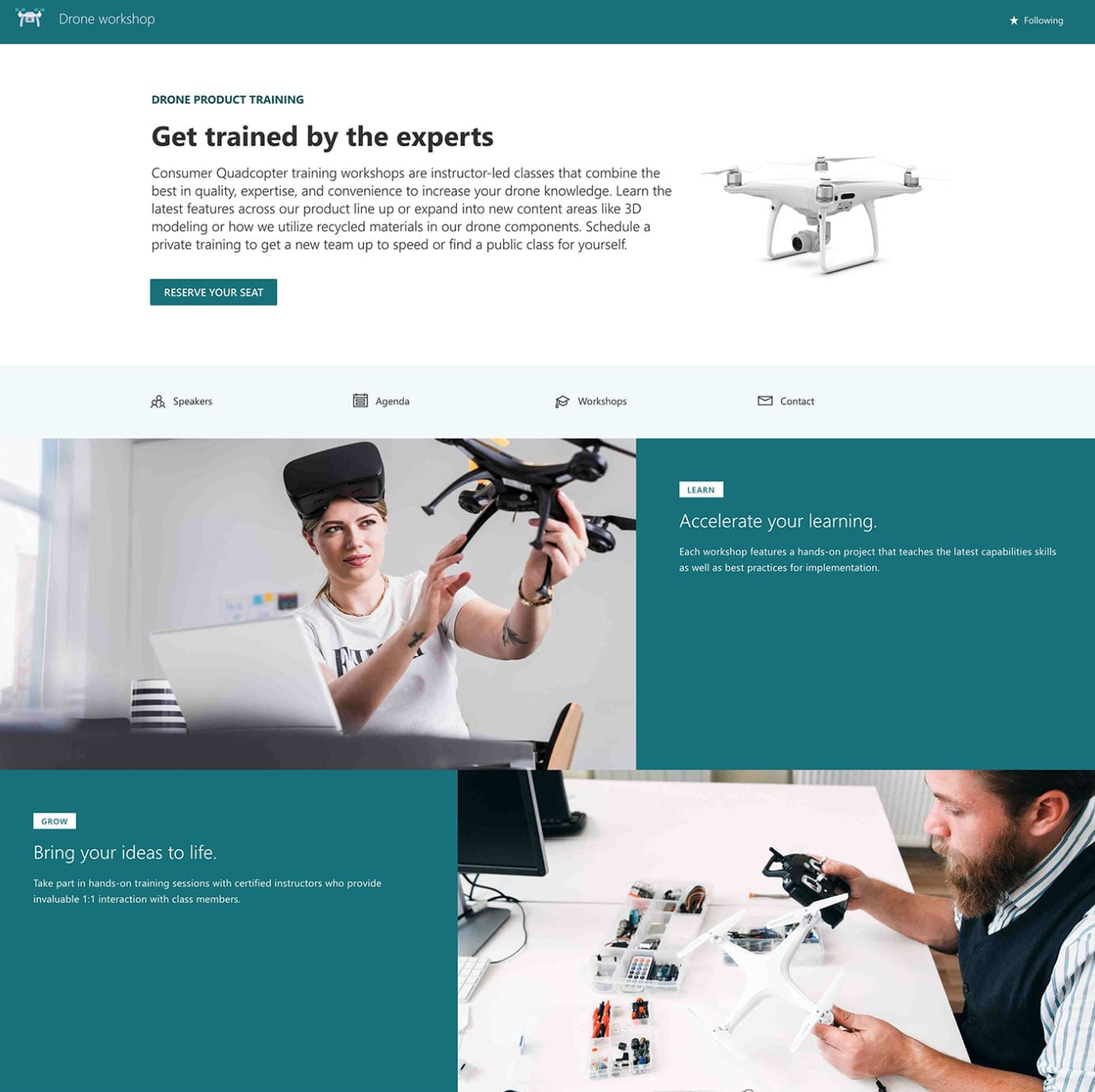
This template facilitates the creation of interactive training modules, online courses, and knowledge repositories.
Administrators can monitor learner progress, while learners can access training materials and collaborate with peers.
By harnessing SharePoint's collaborative tools, you can foster a continuous learning culture and enhance the skillset of your workforce.
Human Resources Internal Intranet
Efficient HR management is essential for any organization, and SharePoint's Human Resources template simplifies the entire HR process.
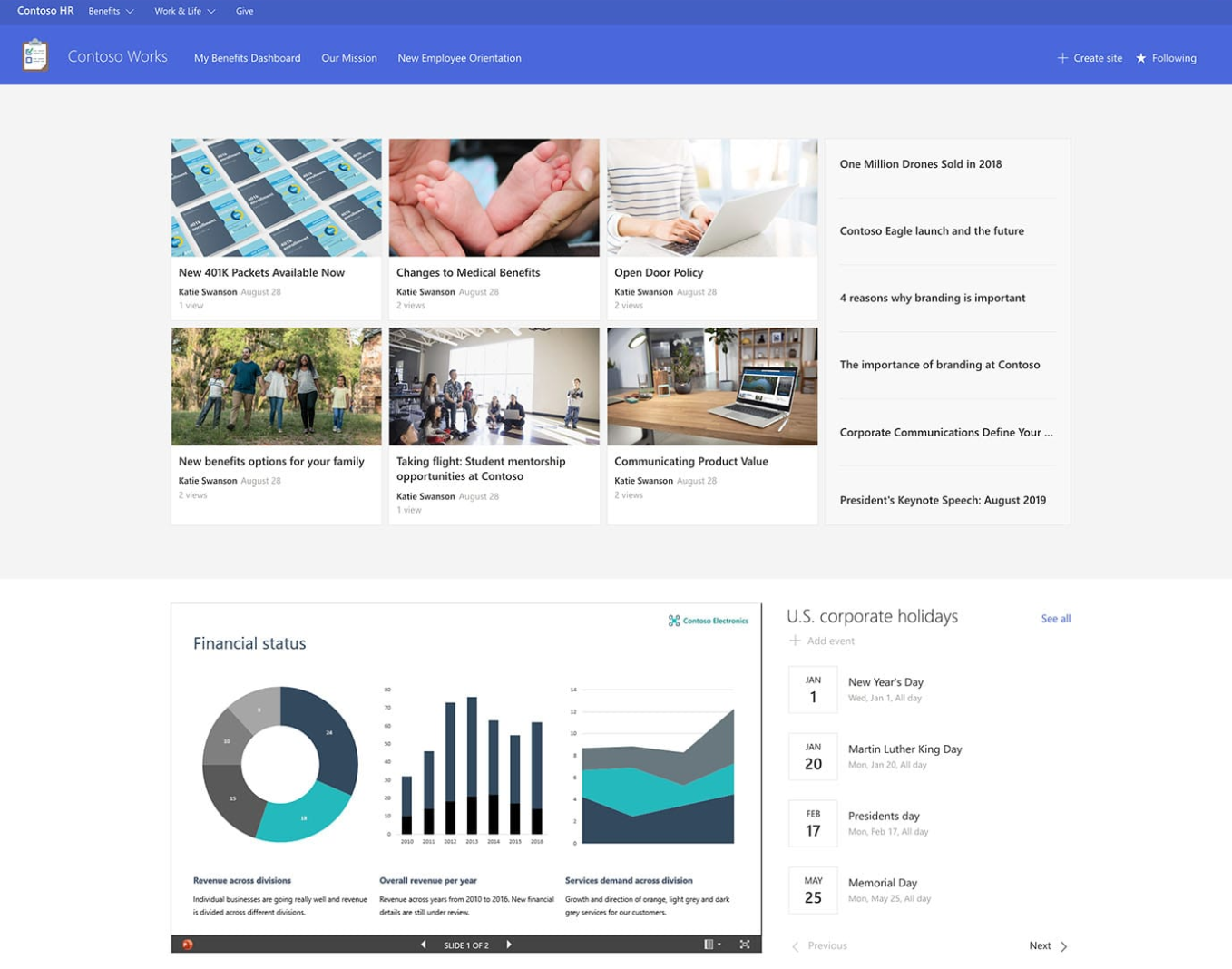
This design offers tools for managing employee records, leave requests, performance evaluations, and recruitment processes.
It promotes seamless communication between HR personnel and employees, ensuring a smooth flow of information.
Additionally, the template adheres to data security standards, safeguarding sensitive HR information.
Marketing SharePoint Site Designs
The Marketing SharePoint site template is a boon for marketing departments aiming to streamline campaigns and enhance brand visibility.
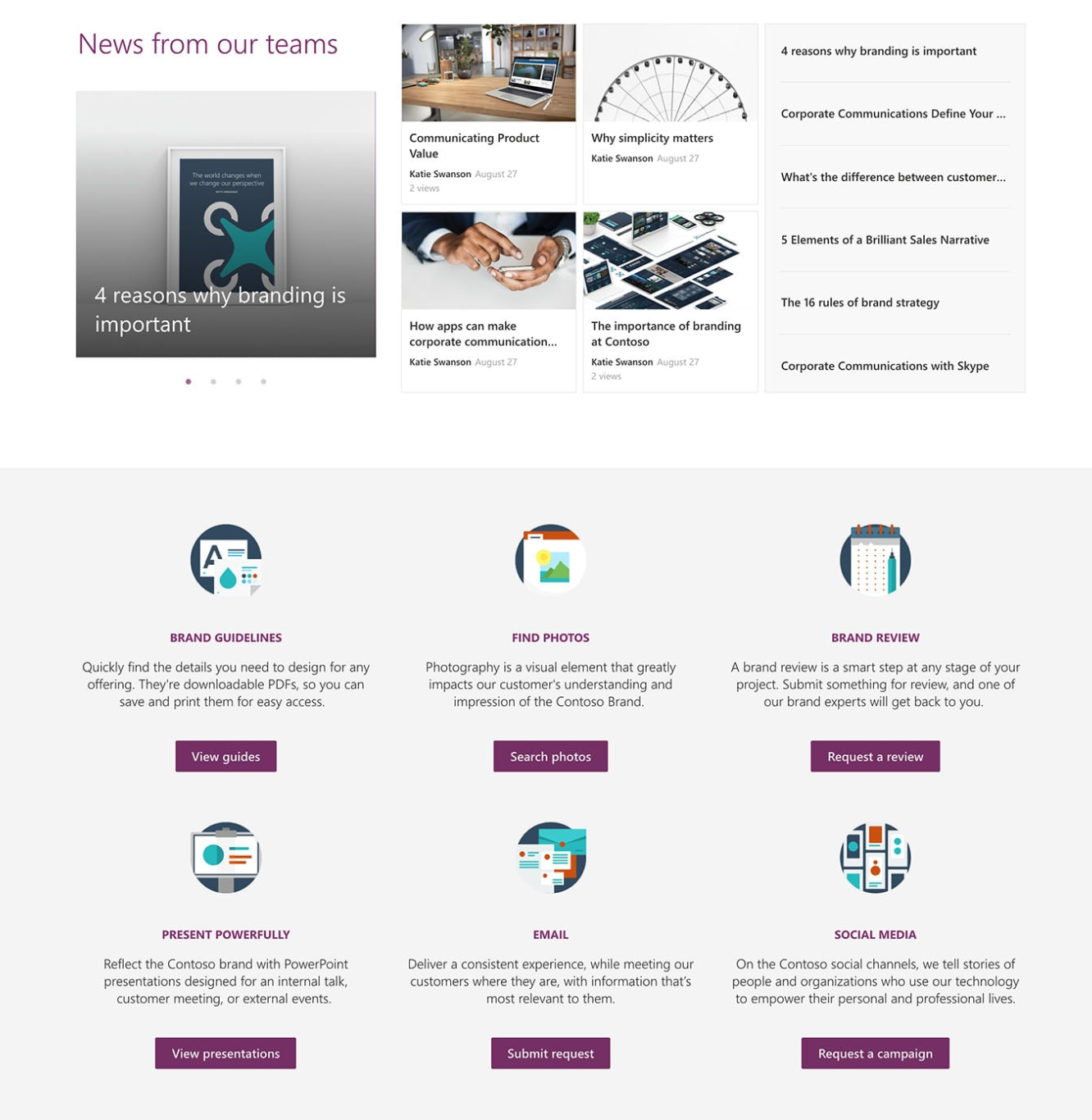
It provides a centralized platform to plan marketing strategies, track marketing assets, and collaborate with stakeholders.
From content creation to campaign analysis, this template covers every aspect of marketing management, helping your team drive impactful marketing initiatives.
Conclusion
The accompanying YouTube video at the top of the page is a treasure trove of SharePoint intranet examples.
Highlighting a wide array of innovative SharePoint Hub Sites and modern SharePoint designs.
It offers a comprehensive visual demonstration of these remarkable templates, providing viewers with valuable insights into their features and functionalities.
SharePoint's free departmental site designs empower organizations to create tailored hubs for seamless collaboration, communication, and information sharing.
By harnessing these templates, teams can optimize their workflows, boost productivity, and achieve remarkable results. Whether it's sales, marketing, HR, or any other department, SharePoint offers a versatile solution to cater to your unique requirements.
Embrace the power of SharePoint and propel your organization towards success!